Budgeting and Finance Apps That Simplify Money Management
Money apps can take the heavy lifting out of tracking spending, saving, and planning. Good tools connect to your bank, sort your transactions, and show a clear plan for bills and goals. The best picks cut clutter, surface what matters, and nudge you when you need to act. The right choice depends on your habits, comfort with automation, and budget for subscriptions.
What a good budgeting app should do
A strong app helps you see cash flow, assign every dollar a job, and keep recurring costs under control. Automation matters, but so does control. Look for fast bank syncing, clean categories, flexible budgets, goal tracking, alerts, and simple exports. Security should include encryption, read-only bank connections, and multi-factor login. If you share money with a partner, shared budgets are a must. If you freelance, support for irregular income and expense tagging helps during tax time.
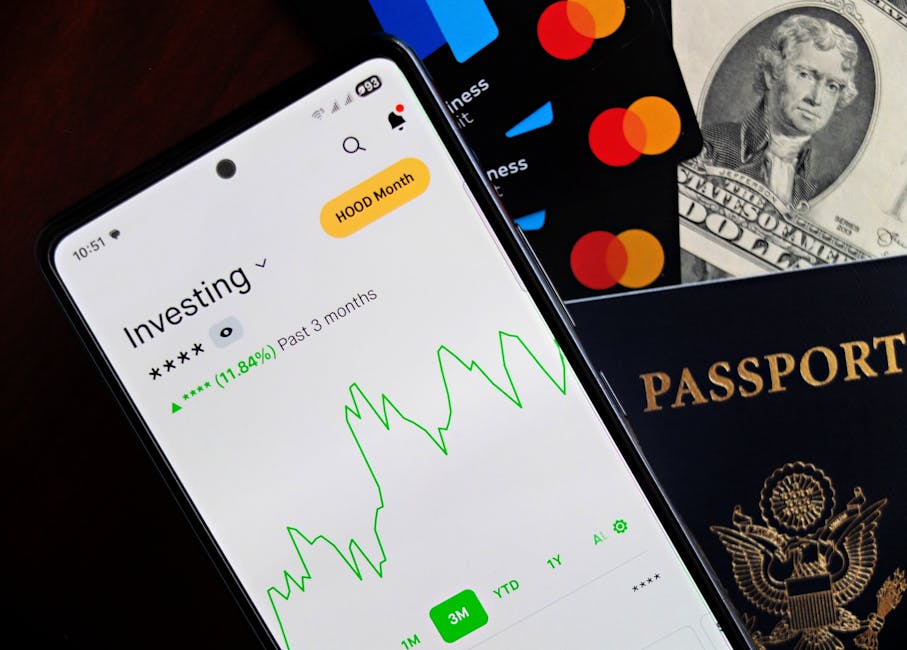
Quick comparison of popular options
| App | Best for | Pricing | Key strengths | Notable limitations |
|---|---|---|---|---|
| You Need a Budget (YNAB) | Hands-on planners who want to assign every dollar | Paid subscription | Envelope method, goal tools, strong reports | Learning curve, no free tier |
| Monarch Money | Households and long-term planning | Paid subscription | Shared budgets, net worth tracking, custom rules | Cost for premium features |
| Rocket Money | Cutting bills and managing subscriptions | Free tier with optional paid | Subscription tracking, cancel help, bill alerts | Advanced features behind paywall |
| PocketGuard | Simple “what’s left to spend” view | Free tier with optional paid | Clean interface, auto categorization | Less depth for goal planning |
| EveryDollar | Zero-based budgeting with a simple setup | Free tier with optional paid | Clear monthly plans, straightforward categories | Auto-sync and reports require paid |
| Credit Karma | Credit monitoring with basic cash flow | Free | Credit tools, some spending insights | Less robust for detailed budgets |
Syncing and security basics
Most apps connect through secure aggregators that provide read-only access to your accounts. Data moves through encrypted channels and is stored securely. Two-factor login adds an extra step to keep your data safe. If you prefer not to link accounts, several apps let you enter data by hand, though that takes more time and discipline.
Zero-based vs flexible budgets
Zero-based budgeting assigns every dollar a job before the month begins. Tools like You Need a Budget and EveryDollar follow this method. It creates strong awareness and helps prevent overspending. Flexible budgets start with high-level targets and adjust as you go. Apps like PocketGuard and Rocket Money lean into this approach with “left to spend” views and easy category tweaks. Choose the style that fits your personality. Structured planners tend to like zero-based plans. People who want quick wins and fewer steps may prefer flexible tools.
Subscription and bill management
Recurring costs can drain money without notice. Tools that scan for subscriptions help you spot forgotten trials and duplicate services. Rocket Money focuses on this area with alerts, price increase notices, and options to help cancel or negotiate. If you prefer to manage it yourself, set category rules and create a monthly checklist inside your app. A simple alert for any new recurring charge keeps surprises low.
Goal tracking and savings automation
Clear goals make budgets stick. Look for goal features that let you set a target amount and deadline, then show required monthly contributions. Some apps support round-ups or scheduled transfers through linked banks. If your income is irregular, pick tools that let you prioritize goals and roll unused funds forward. The ability to mark funds as “assigned but not spent” helps protect savings from day-to-day purchases.
Cash flow for variable income
Freelancers and gig workers benefit from holding a one-month buffer. Assign income only after it arrives rather than guessing ahead. Tag business expenses so they are easy to export at tax time. Choose an app with custom categories and rules for common write-offs. A weekly review keeps the plan current when paydays shift.
Couples and shared money
Shared budgets work best when both people can view updates in real time. Monarch Money supports household accounts with shared goals and permissions. You can also share a single login in simpler apps, though that can create mix-ups with categories and notes. Set a standing time to review the plan together. Two short check-ins each month reduce friction and catch problems early.
Reports that matter
Good reports answer clear questions. Where did spending change from last month. How does this quarter compare to the same period last year. Which categories often go over budget. Monthly category totals, trends, and net worth snapshots are enough for most people. Export options help if you want to analyze further in a spreadsheet.
How to choose an app
- Define your main job to be done. Cutting bills, building an emergency fund, or paying debt calls for different tools.
- Decide on automation level. Linked accounts save time. Manual entry forces attention. Pick the path you will stick with.
- Test the workflow. A one-week trial often reveals if the app fits your habits.
- Check shared features if you budget with a partner.
- Review pricing vs value. A paid tool can be worth it if it prevents a few impulse buys each month.
Simple start plan for your first 30 days
Connect core accounts only. Checking, savings, and your main credit card are enough at first. Set three categories to watch closely, such as groceries, dining out, and transport. Create one savings goal, like a 500 dollar emergency cushion. Turn on alerts for new subscriptions and large transactions. Do a 10-minute review every Sunday to fix category mistakes and adjust next week’s plan. Small steps beat a perfect setup you never use.
When a bank app is enough
Many banks now offer spending breakdowns, basic budgets, and alerts. If your needs are simple and you hold most accounts at one bank, the built-in tools can be fine. You lose some cross-institution tracking and advanced planning, but you gain speed and fewer connections to maintain.
When to upgrade
Consider a paid app if you want envelope-style control, multi-user support, custom rules, and deeper reports. People working toward debt freedom often benefit from strict category limits and rollovers. Households that track savings across many accounts do better with goal automation and net worth views. The cost often pays for itself if it helps you cut a few recurring charges or avoid overdraft fees.
Practical guardrails to avoid overspending
Set a daily spending threshold. Any purchase over that number gets a pause to check the budget. Keep one “fun” category to reduce guilt and keep the plan realistic. Move windfalls, like tax refunds, into goals on day one. If a category goes red, reduce next week’s dining or shopping line rather than ignoring it. Progress comes from quick corrections, not from a perfect month.
Money apps work best when they are simple to open and quick to update. Start with a few categories, track one or two goals, and build from there. If a tool feels heavy, try a lighter option and keep the habit going. The aim is clear cash flow, fewer surprises, and steady progress on the things that matter to you.
Budgeting is not about restriction. It is about making sure your spending matches your plans. A good app gives you a clear picture and fewer steps. Pick the tool that fits your style, run a short trial, and keep what works. Small, steady gains compound into real stability.
References
creditkarma.com
plaid.com