How to Safely Share Photos and Files Online
Sharing photos and files should feel easy and safe. The stakes are real though. A casual album link can spread beyond friends. A contract sent over email can be forwarded to anyone. A few simple habits lower risk without adding much work. The goal is to keep control over who sees what, for how long, and on which device.
Common ways to share and how they compare
| Method | Best for | Pros | Risks | Privacy controls |
|---|---|---|---|---|
| Cloud link | Large files and folders | Easy to update, version history | Link can spread if forwarded | Password, expiry, view-only, specific people |
| Email attachment | Small files, quick one-offs | Simple, no account needed to receive | Copies live in multiple inboxes | Password-protected files, avoid sensitive content |
| Messaging apps | Fast sharing with known contacts | End-to-end encryption on some apps | Quality compression, cloud backups may store copies | Disappearing messages, media controls |
| Shared photo albums | Events, family updates | Collaborative, comments and likes | Album links can leak, broad default visibility | Invite-only, contributor approval, download limits |
| Direct transfer links | One-time large sends | No account needed, quick | Short expiries, limited control after send | Expiry time, password |
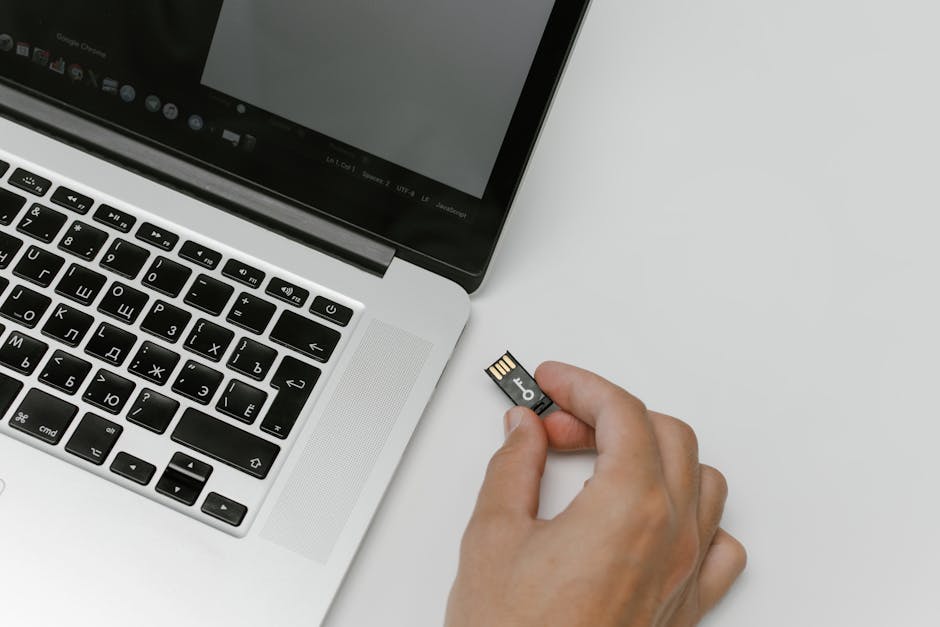
| Physical handoff | Very sensitive data | No online exposure | Loss or theft of device | Encrypt drive, handoff in person |
Pick the right tool for your goal
Use cloud storage when you want control over access and updates. Services like Google Drive, Microsoft OneDrive, and Dropbox support view-only links, password protection, expiry dates, and sharing with specific people. These options help you limit who can open the link and for how long.
Use shared photo albums when the point is group viewing and contributions. iCloud Photos and Google Photos both support invite-only albums. Limit contributors, require approval, and turn off public links when the album is sensitive.
Use end-to-end encrypted messengers when privacy during transit matters. Apps like Signal and WhatsApp encrypt messages between devices. Once a file lands on a device, the recipient can still save or forward it, so choose contacts carefully and set media visibility limits in the app if needed.
Use a one-time transfer service for a quick send to someone outside your contact list. Services like WeTransfer are handy for large files, but rely on short expiries and optional passwords to reduce risk.
Lock down sharing settings before you hit send
A few settings do most of the safety work. Look for these options on your platform of choice and set them as a habit before generating a link or invite.
- Specific people only: Share to named accounts or email addresses when possible. Avoid public or “anyone with the link” for private items.
- View-only by default: Block downloads or printing if the platform supports it. Let people request higher access if needed.
- Set passwords: Use a unique password for each link and send it through a different channel than the link.
- Add an expiry date: Shorten access to the time it takes to view or download. Renew only if needed.
- Turn off resharing: Stop recipients from inviting others without your approval.
- Notifications and access logs: Enable alerts for new viewers and check recent activity for unknown devices.
Protect the file itself, not just the link
Encrypt sensitive files before you upload or send them. A password-protected ZIP or encrypted archive adds a second lock. Tools like 7-Zip on desktop are simple and free. For documents, export to a password-protected PDF when the format allows. Share the password out of band through a different app or a quick voice call.
Strip hidden data from photos when privacy matters. Many photos include EXIF metadata with camera model and location. Most phones and computers offer a way to remove location before sharing, either at the moment of export or through a basic photo editor. If you cannot find a built-in option, send a screenshot of the photo to remove most metadata, then share that image.
Watermark copies if you expect broader circulation. A light text watermark with your name or project can remind viewers not to repost. This does not stop leaks. It adds friction and a trace.
Link hygiene and safe delivery
Create unique links for different groups so you can revoke one without breaking access for others. Use clear names for shared folders and avoid exposing private details in the folder name itself. Avoid link shorteners for private content because they hide the destination and can trigger spam filters. If you scan or generate QR codes, treat them like links and set expiries or passwords where possible.
Double-check the recipient field every time. Autocomplete errors place files in the wrong inbox more often than malware does. Send a short message that explains the file, the expected action, and the expiry date. That context reduces the chance your file gets forwarded or saved in the wrong place.
Verify who you are sharing with
Confirm new contacts before sending sensitive files. Ask the person to reply from a known email or message you on a known number. If a request arrives from a manager or client that seems unusual, verify through a second channel. Add a short access note in the file or link, such as “Shared with Alex and Priya only,” so accidental forwarders understand the boundary.
Keep quality high without growing risk
Messaging apps often compress photos and videos. If quality matters, send a cloud link to the original files or use the app’s “send as file” option. Compress large folders into a single archive to cut upload time and reduce file corruption. Use secure Wi‑Fi for big uploads and avoid sending large files over cellular hotspots if you can help it.
Backups and version history
Keep a clean original in a private folder that only you control. Share copies. Version history in cloud storage helps when a collaborator overwrites or deletes a file. If you edit photos in a shared album, export a separate copy so you can roll back without losing changes. Schedule regular backups to an encrypted external drive or a separate cloud service so one account issue does not wipe everything.
Photo albums for events and groups
Group albums are great for weddings, team trips, and school projects. Use invite-only access and require approval for contributors. Turn off public links for private events. Set download limits when you only want on-platform viewing. Consider posting a short album policy in the description, like “Photos may be viewed by guests but not reposted.” That sets expectations and curbs resharing.
Sharing at work or school
Use managed accounts and shared drives for team content instead of personal accounts. Share to groups instead of individuals when teams change often. Keep access narrow, review it monthly, and remove past members. Do not mix personal and work files in the same folder. For sensitive documents, add a password to the file even if the drive already has permissions. That extra step helps if a link leaks.
If a link leaks or you sent the wrong file
Revoke access right away. If the platform supports it, disable downloads or unshare the folder. Replace the file with a harmless placeholder in the same link when you cannot delete it. Rotate the password and create a fresh link for the right group. Tell recipients what changed so they know which link is valid. If a sensitive photo or document escaped, write down what happened and adjust your default settings to prevent a repeat.
Simple habits that stack up
Strong sharing comes from a few steady habits. Choose tools that fit the job, set tight permissions, protect the file itself, and clean up old links. Use cloud services like Google Drive, OneDrive, Dropbox, and private messengers like Signal when security matters. Favor view-only and expiry dates by default. Save passwords and notes in a trusted password manager so you do not reuse the same secret.
Good sharing feels calm. You know who can see your photos and files, for how long, and how to turn access off. Start with one or two changes, like adding expiry dates and using specific-people sharing. Add file passwords for anything sensitive. Over time, these steps become routine and the risk of a bad leak drops sharply.