Educational Apps That Make Learning Fun for All Ages
Educational apps can turn spare minutes into real learning. The best ones mix short lessons, smart feedback, and a bit of play. They work for kids building core skills and for adults brushing up on math, language, or job-ready topics. Picking the right app comes down to fit: level, format, and how well it holds attention. With a clear plan and a few guardrails, you can make a phone or tablet a steady study partner without it feeling like schoolwork.
What Makes an App Fun and Effective
Strong educational apps trim friction. They load fast, give clear goals, and reward progress. Short activities reduce fatigue and make it easy to return the next day. Hints, instant feedback, and spaced review help new ideas stick. When lessons match skill level, learners stay engaged longer and build confidence.
Design matters. Friendly visuals and sound cues can make practice feel less heavy. Points and badges help, but they are not the main driver. Progress that reflects real skill growth keeps people coming back. A quick graph or a streak counter is often enough to show momentum.
Personalization lifts results. Adaptive systems adjust difficulty. If a learner struggles with fractions, the app can slow down, offer a new explanation, and then move forward once the concept lands. Adults appreciate the same support when tackling topics like statistics or grammar.
Quick Comparison by Age and Goal
The apps below are common starting points. Each one has a clear focus and a track record with a wide audience.
| Age/Need | Typical Focus | Core Features | Good Fit |
|---|---|---|---|
| Early learners (4–7) | Foundations in reading, numbers | Short games, voice prompts, visuals | Daily 10–15 minute sessions |
| Middle school (8–12) | Math fluency, vocabulary, science basics | Quizzes, leveling, rewards | After-school practice |
| Teens (13–17) | Curriculum support, test prep, coding | Video lessons, practice sets, projects | Homework help and skill-building |
| Adults (18+) | Languages, data, job skills | Micro-lessons, streaks, spaced repetition | Commute-friendly study |
Examples That Work Across Ages
For general subjects, Khan Academy keeps lessons clear and structured. The platform covers math from early grades through calculus, plus science and humanities, with practice items tied to each concept. You can find it at khanacademy.org. I have used its mastery paths to help a teen close gaps in algebra before a midterm. The steady hint system and practice sets did more than a single long cram session.
For languages, Duolingo offers quick daily drills and streak tracking that encourage consistency. Lesson types vary to reduce boredom, and the app mixes reading, listening, and speaking. Try duolingo.com if you want a simple way to build a habit. It will not replace deep conversation practice, yet it is a reliable base layer for vocabulary and grammar review.
For creative coding, Scratch provides a visual, block-based way to build animations and games, which makes it friendly for kids and useful for adults who want to grasp logic without syntax hurdles. Explore projects at scratch.mit.edu. Project sharing and remixing add a social spark and show how ideas grow with iteration.
Build a Habit Without Burnout
Short, frequent sessions beat long marathons. A 15-minute daily target fits into real life and is easier to maintain. Use reminders inside the app, but set a hard stop. End while energy is still high to keep motivation for the next day. If streaks create pressure, turn them off or reset them after a rest day.
Consider timing. Many learners focus better in the morning before email and messaging ramp up. Others prefer a consistent slot after dinner. Try a few options and notice when attention is best. Keep the phone on Do Not Disturb while studying to avoid notification drift.
- Pick one primary app per goal to prevent context switching.
- Set a clear weekly target, such as 5 sessions or 90 total minutes.
- Use built-in review modes before starting new content.
- Track progress with a simple note: date, topic, and one takeaway.
Parent and Caregiver Tips
Co-play helps young children stay focused and makes the session social. Sit nearby for the first few days. Ask one or two guiding questions and celebrate small wins. Shift to check-ins once routines form. Many apps include a parent dashboard with progress summaries and suggested next steps. Scan it weekly rather than daily to avoid micromanaging.
Set device rules. Create a dedicated learning folder on the home screen. Disable autoplay for videos and remove non-learning notifications during study windows. If a child tries to skip through challenges, pause and agree on a minimum effort rule, such as “complete two hint steps before moving on.” That keeps difficulty honest without raising stress.
Beyond School: Skills for Work and Hobbies
Adults often want practical outcomes: a new language for travel, spreadsheet fluency for a promotion, or basic programming to automate tasks. Short lessons lower the barrier to entry. Apps that export projects or provide certificates can help document progress for a resume or performance review. Just make sure the certificate aligns with the skills your workplace uses.
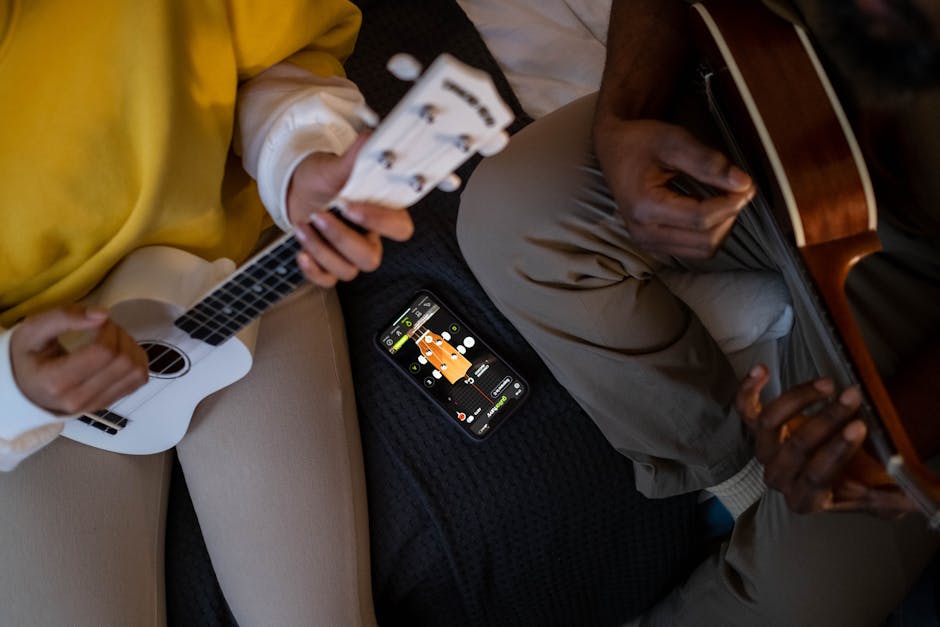
Creative learning also counts. Music training apps, drawing tutorials, and typing trainers build fine motor skills and patience. Coding playgrounds with real-time previews encourage tinkering. When practice connects to a personal goal, consistency improves and the fun factor rises.
Privacy, Safety, and Cost
Check data practices before you commit. Look for clear explanations of what is collected, how long it is stored, and whether data is shared. Family accounts should allow child profiles without exposing full names or contact info. If an app offers social features, confirm moderation policies and disable public posting for younger users.
Free plans are useful for testing fit. Paid tiers often add offline access, more practice sets, or advanced analytics. Start with the free version for one to two weeks. If engagement remains high and the features feel right, consider upgrading. Watch for aggressive upsells that interrupt lessons. That type of friction hurts focus and usually signals a poor fit.
How to Choose the Right App
Match the app to a single, immediate goal. “Learn fractions with visual models,” “practice Spanish verbs on the commute,” or “finish a beginner Python project” are concrete targets. Avoid vague goals. Clear scope makes it easier to judge progress and decide when to switch apps or raise difficulty.
Test the feedback loop. Good apps tell you why an answer is wrong and show a better approach. They also revisit tricky items over time. If you do not see that, try another tool. A few minutes of trial is enough to feel the difference. Track how often you return without forcing yourself. Natural pull is a good sign.
Measuring Real Progress
Look beyond streaks and badges. Focus on transfer. If a language app claims you learned a tense, write three sentences from memory. If a math app says you mastered linear equations, solve a printable set on paper. If a coding app covers loops, build a tiny script that saves you a real task. These checks confirm that practice turned into skill.
Adjust the plan based on results. If recall fades after a week, add a spaced review day. If boredom sets in, raise difficulty slightly or switch to a project-based task that applies the same skills. Keep the learning curve steady, not steep.
Common Pitfalls to Avoid
Do not overload your device with apps that do the same thing. Redundancy splits attention and weakens habits. Avoid apps that gate core content behind too many pop-ups or push constant ads during lessons. Distraction erodes learning speed and drives learners away.
Skip one-size-fits-all pacing. If a child breezes through reading games but stalls in number sense, rebalance time. If an adult learner aces vocabulary but struggles with listening, shift sessions to audio-heavy drills. The right mix changes month to month.
Educational apps can fit into daily routines without stress. Start small, set a clear goal, and choose tools that match your level and style. Short sessions with strong feedback build momentum, and momentum builds confidence. Whether you are guiding a child through early reading or reclaiming a skill you last saw in school, a well-chosen app can make practice feel like progress.
Pick one app per goal, protect a study window, and use quick self-checks outside the app to confirm growth. With those habits in place, learning feels less like a chore and more like a steady, satisfying part of the day.