Fitness Tracker App Showdown Which One Deserves a Spot on Your Phone
Picking a fitness tracker app comes down to what you want to improve and what phone and devices you already use. Some apps focus on friendly habit tracking, others push structured training or recovery insights. Battery life, subscription costs, and data privacy also matter more than most people expect. The right choice should give you clear feedback without forcing you to change how you already move and live.
I test apps by wearing a watch, running with a phone, and logging daily steps and sleep for a few weeks per app. Small details change your behavior more than flashy dashboards. Daily readiness scores can nudge you to rest. Auto-detected workouts save time. Reliable GPS and heart rate encourage pace control. Over time, an app either reduces friction or adds it. The ones that stay on my phone do the former.
How to choose an app that matches your routine
Start with your devices. iPhone owners get Apple Health and Apple Fitness built in, and they work best with Apple Watch. Android users often start with Google Fit, though many hardware brands provide deeper features. Cross-platform users who switch phones or have a mixed household tend to value services that sync broadly and export data cleanly. If you already wear a watch, the companion app is usually the smartest first stop because it maintains full sensor access and advanced metrics.
Think about goals. Weight loss and daily activity need simple prompts, streaks, and calorie-awareness. Runners and cyclists benefit from structured training, segment analysis, and accurate GPS. If recovery or stress is a priority, focus on sleep staging quality, HRV trends, and readiness guidance. Coaching style matters too. Some apps coach with short tips and green lights. Others provide long-form plans that can feel heavy if you only have 30 minutes per day.
Costs add up. Many free tiers track steps, workouts, and basic sleep. Subscriptions unlock guided programs, deeper metrics, and historical trends that go beyond a year. If you skip audio classes and advanced recovery scores, you may not need a subscription at all. If programming and accountability keep you consistent, the monthly fee can be worth it in skipped guesswork.
Privacy and data control deserve attention. Health data is sensitive, and sync partners multiply risk. Look for simple data export, granular permissions, and clear policies about third-party sharing. Apple’s Health app uses on-device processing and permissions that let you pick which data an app can read or write. Fitbit and others outline how they use data to provide services and improve features. Read the prompts during setup instead of tapping through. A few minutes there saves headaches later.
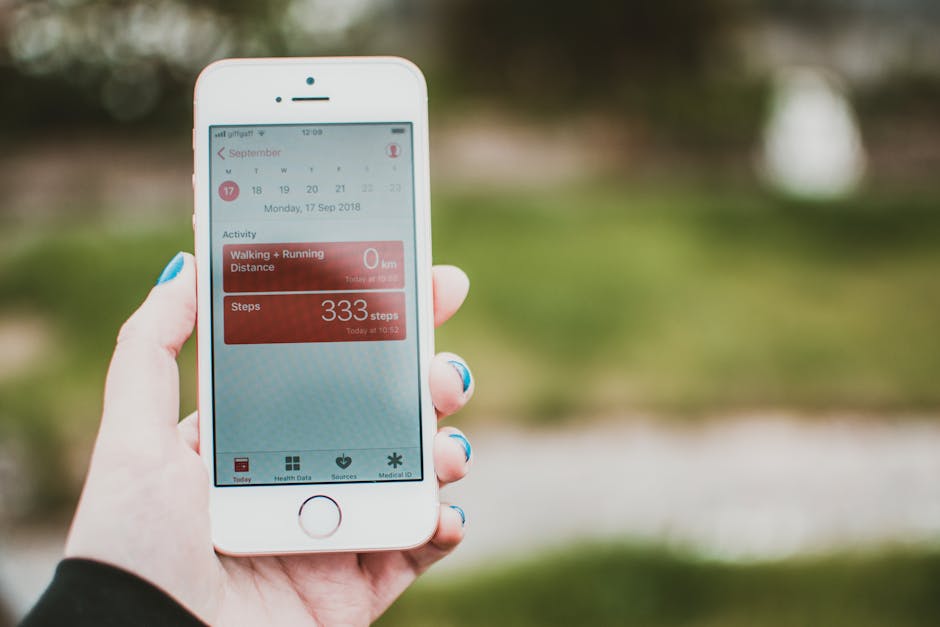
Apple Health and Google Fit: the hubs most people already have
Apple Health on iPhone and Apple Fitness pair smoothly with Apple Watch. The Fitness rings still drive behavior better than many complex dashboards because they are visual, consistent, and easy to understand. If you take classes, Apple Fitness+ adds video workouts that play across devices. Strength here is reliability and tight integration. GPS, heart rate, and notifications are stable, and the system plays well with third-party apps that write to Health, so your runs, food logs, and cycle tracking can live in one place. Weakness comes if you need advanced training tools or cross-platform syncing. If you switch from iPhone to Android, you lose some history without extra steps.
Google Fit is flexible and simple. It tracks steps, heart points, and supports Wear OS watches and many third-party services. It is a fine hub for casual tracking and a good option if you prefer lightweight dashboards. Depth is limited for serious endurance training. That is not a flaw if your goals are everyday activity, light cardio, and basic heart rate. One benefit is how many services sync into Fit, which keeps your data portable if you try new apps.
Fitbit and Samsung Health: everyday coaching that sticks
Fitbit built its reputation on approachable tracking with strong sleep insights. The app’s design lowers friction and the daily readiness score can guide training load when paired with supported devices. If you wear a Fitbit watch or band, you get smooth auto-detection for walks, runs, and bike rides, plus steady notifications and solid battery life. The free tier covers steps, workouts, and recent sleep. Premium adds longer history, advanced sleep metrics, and guided workouts. The full value shows up when you want simple coaching and a friendly tone that keeps you moving on busy days. If you chase PRs or build training cycles, you may outgrow Fitbit’s analytics. Pricing and details are published on the company’s site, so check the current Premium terms there before committing to a trial fitbit.com.
Samsung Health is a strong pick for Galaxy phone owners. It tracks steps, sleep, stress, and heart rate with clean visuals and includes guided programs for walking and running. Galaxy Watch integration is smooth, and the app often balances features with good battery life. Auto workout detection is reliable for walking and running, and sleep tracking is competitive. If you want deep training metrics or a large social feed, you may find limits. If you want a capable all-rounder that respects your time and matches Samsung hardware well, it is easy to recommend.
Strava and Garmin Connect: athletes, segments, and serious metrics
Strava is the default community for runners and cyclists. The core app logs GPS workouts well and makes it simple to compare efforts over time. Segments and leaderboards add a social push that can make intervals feel more engaging. The paid tier unlocks training plans, live segments, and more detailed analysis. Strava shines as a central feed that pulls activities from many watches. It is less ideal if you avoid social features or want advanced recovery data. If you enjoy discovering routes, following friends, and measuring progress by PRs on familiar climbs or loops, it fits.
Garmin Connect pairs with Garmin watches and bike computers and is the best choice when you want deep metrics, strong GPS reliability, and long battery life. VO2 max, training load, training readiness, and detailed workout planning help if you are building toward races or balancing cross training. The app can feel dense at first, but the depth pays off for people who enjoy data. Garmin’s route creation, structured workouts, and daily suggested workouts cover most needs from couch-to-5K up to marathon prep. If you do not wear a Garmin device, Connect makes less sense as your main app, though you can still import data. For many athletes, the balance of accurate tracking and actionable feedback puts it near the top. More details on device features and metrics live on Garmin’s site garmin.com.
Oura and Whoop: recovery-first insights with ongoing cost
Oura Ring and Whoop focus on sleep, HRV, and strain to guide daily readiness. These services emphasize recovery quality and trends across weeks, which helps people who overtrain or manage stress from work and travel. The coaching style suggests when to push and when to back off, which can lower injury risk and improve consistency.
Oura’s strength is comfort and steady sleep tracking without a watch on your wrist. The ring design encourages 24-hour wear and the app presents HRV, resting heart rate, and sleep stages in clean views. The subscription unlocks readiness and insights that build over time. Whoop delivers a similar philosophy with a band built for constant wear and a clear strain score model. The app explains how today’s effort stacks against your current capacity based on recovery and sleep. Both require subscriptions to access their core value. If you enjoy strength training, long cardio blocks, and travel often, the readiness lens can keep you honest. If you want route maps and splits, look elsewhere.
Accuracy varies across activities and body types for all wrist wearables, and heart rate is one area where independent research has found mixed results under certain conditions. High-intensity intervals, dark tattoos, and cold weather can affect optical readings. If your training depends on strict heart rate zones, a paired chest strap remains the gold standard for HR accuracy during hard efforts, a point supported by peer-reviewed comparisons available through the National Institutes of Health nih.gov.
Which app deserves a spot on your phone
Pick Apple Fitness with Apple Health if you use an iPhone and want the cleanest daily tracking with strong class options and minimal fuss. Choose Google Fit if you want a simple, flexible hub and do not need advanced analysis. Go with Fitbit or Samsung Health if you want approachable coaching, dependable sleep tracking, and smooth device integration that makes habits stick. Choose Strava if community and segments keep you consistent. Pick Garmin Connect if you run or ride with intent and want deep metrics and planning tools. Consider Oura or Whoop if recovery and readiness are your top priorities and a subscription for insight feels worth it.
Data control should be part of the decision. On iPhone, Health permissions let you control which apps read and write specific data types, and Apple documents privacy and on-device processing practices on its site apple.com. With any subscription service, read what is collected and how long it is kept. Export a copy of your data once in a while, especially if you switch platforms. You can also run two apps in parallel for a week to see which one earns your attention each day. The one you open without thinking tends to be the one that helps most.
Battery life, notifications, and friction are the last filters. If an app drains your phone during long GPS workouts, it will not last. If it spams you with badges and tips that do not match your goals, you will mute it and lose value. If it takes five taps to start a run, you will skip it. The best app reduces taps and increases useful feedback. That is what keeps it on your home screen.
The strongest fit usually matches your devices and your training style. Apple Fitness and Health suit iPhone owners who value clean tracking and classes. Google Fit works for a light, flexible hub. Fitbit and Samsung Health offer friendly coaching that supports steady habits. Strava and Garmin Connect serve runners and cyclists who want analysis and planning, with Strava bringing the community layer. Oura and Whoop lead on recovery insight if you are willing to pay a subscription. Start with the app that integrates with your current hardware, test it for two weeks, and keep the one that gets you moving more often with less friction.
References: apple.com, fitbit.com, nih.gov