Mental Health and Wellness Apps That Actually Work
Mental health apps can help with stress, anxiety, low mood, sleep problems, and building healthy habits. The ones that work share a few traits. They use proven methods like cognitive behavioral therapy, mindfulness, or behavioral activation. They guide you through small steps, offer feedback, and track progress. They are clear about privacy. They also make it easy to get help if you need it.
What “actually works” means
Effective apps do more than offer quotes or vague tips. They deliver structured exercises backed by clinical methods. That often looks like short CBT lessons, guided breathing, mood tracking with triggers, and step‑by‑step plans that adapt to you. Tools that prompt daily check‑ins and set reminders tend to keep people engaged. Good apps also point to crisis support and make it clear how your data is handled.
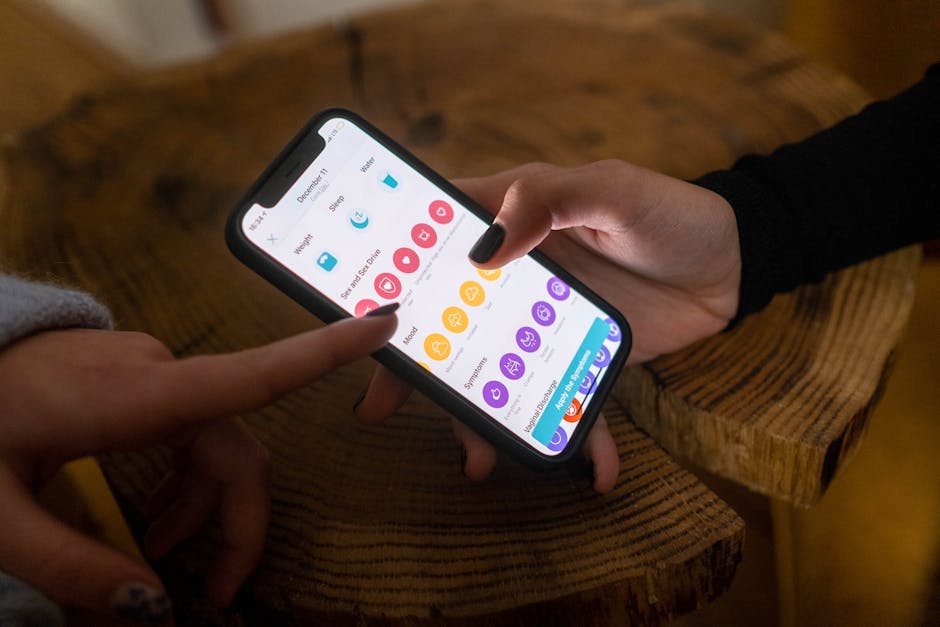
Quick comparison of reliable options
| App | Best for | Core methods | Why it stands out | Link |
|---|---|---|---|---|
| Headspace | Stress, sleep, mindfulness basics | Mindfulness, breathing, sleep audio | Short, polished sessions and sleep content | headspace.com |
| Calm | Sleep and relaxation | Mindfulness, relaxation, music | Large library and sleep stories | calm.com |
| Wysa | Anxiety coaching and CBT skills | CBT, behavioral activation, journaling | AI chat with toolkit and optional human coaching | wysa.com |
| Woebot | Mood support and CBT practice | CBT, dialectical behavior concepts | Brief chats that teach skills on the spot | woebothealth.com |
| Moodfit | Mood tracking and habits | CBT tools, activity tracking, goals | Flexible trackers and insights from your data | getmoodfit.com |
| Sanvello | Anxiety, stress, mild depression | CBT, meditation, peer support | Courses plus community and tracking | sanvello.com |
| MindShift CBT | Teens and young adults with anxiety | CBT, exposure tools | Youth‑friendly design and practical exercises | anxietycanada.com |
How to judge an app before you commit
A quick test can save time and money. Open the app and try a full exercise. Notice if you learn a clear skill, not just read a tip. Check how your progress is stored and whether you can export data or reset it. Look for a privacy policy in plain language. Scan for crisis guidance and support contacts. If you see paywalls after every tap, that is a red flag.
- Check the methods: look for CBT, mindfulness, behavioral activation, or exposure therapy named in plain terms.
- Test the flow: the app should guide you step by step with short exercises and feedback.
- Privacy first: see what is collected, how it is used, and whether data is shared or sold.
- Crisis support: clear instructions for urgent help should be easy to find.
- Fit and friction: features you need should be no more than two taps away.
- Cost clarity: transparent pricing, free trials that do not trap you, and an easy cancel path.
When an app can help, and when it is not enough
Apps can support stress management, sleep, and mild to moderate anxiety or low mood. They can help you build daily routines, track triggers, and practice coping skills. They can remind you to breathe, move, or reach out to a friend. Many people use them between therapy sessions to keep progress going.
An app is not the right tool for urgent risk, severe depression, psychosis, or complex trauma. If you have thoughts of self‑harm, contact your local emergency number or a crisis line. In the United States, call or text 988 or use 988lifeline.org. If you are outside the United States, look up your national crisis hotline.
Short reviews and use cases
Headspace: Teaches mindful attention in a way that is easy to stick with. Sessions start at a few minutes a day. Sleepcasts and gentle music help with bedtime routines. People new to meditation often report less stress after a week of steady use. The design nudges you to keep going without guilt.
Calm: Useful if winding down at night is hard. The sleep stories, soundscapes, and body scans are its strength. The daily 10‑minute practice is a simple anchor. If breathwork helps you, the visual pacing tools are worth a look.
Wysa: Chat format that feels practical. You type a short note about a worry and it offers a CBT skill like reframing or scheduling a small action. The library has guided tools for panic, sleep, and low mood. You can add human coaching for a fee if you want accountability.
Woebot: Focused on fast skill building. Conversations last a few minutes and aim to shift thinking patterns. It checks in daily, which keeps you engaged. Works well if you prefer short lessons over long articles or videos.
Moodfit: Best for people who like data. You can track mood, sleep, exercise, and gratitude in one place. The app helps you spot links, like how late nights affect next‑day mood. It also includes CBT tools so tracking leads to action.
Sanvello: Combines courses, mood tracking, and community. The guided paths for stress and anxiety are easy to follow. The peer groups can help you feel less alone, though you can turn them off if you prefer privacy. Some insurance plans have offered access, so check your benefits.
MindShift CBT: Designed for teens and young adults with anxiety. It breaks fear cycles into steps you can practice. The exposure tools are practical. The tone is friendly and not preachy, which helps younger users stick with it.
Privacy, data, and safety
Read the privacy policy before you sign up. Strong apps explain what they collect, why they collect it, and who they share it with. Look for clear statements on whether data is used for ads. Check if you can delete your data and how to contact support. If an app feels pushy about permissions, you can say no or move on.
Parental consent rules can apply to younger teens. Many apps set 13 as a minimum age. Family discussion and supervision helps teens use these tools wisely. If you are a parent, review settings together and agree on when to use the app and when to reach out for live help.
Building a simple routine
Small, steady use beats binge sessions. Pick one app and one goal. For stress, try a 5‑minute breathing or body scan twice a day. For mood, log how you feel at breakfast and dinner and add one small action like a 10‑minute walk. For sleep, set a cue at the same time each night to start a wind‑down session. Review your notes every week and adjust the plan. If you do not notice any shift after two to three weeks, try a different tool or ask a clinician for guidance.
Cost and value
Many apps offer free basics with paid upgrades. Subscriptions can add up fast. Free tiers are often enough to learn core skills if you practice daily. Annual plans cost less per month than monthly plans, but only pay if you are using the app often. Cancel reminders placed on your calendar keep you in control of renewals.
Bottom line
Good mental health apps teach real skills, keep sessions short, and protect your privacy. They help you practice every day and track what changes. Pick a tool that matches your goal, test it for two weeks, and keep what works. Apps are not a replacement for care when symptoms are severe, but they can be a steady support for stress, sleep, and mood when used with intention.
If you need urgent help, use emergency services or a crisis line. If you are stable but stuck, reach out to a licensed professional and bring your app data to your visit. That mix of human care and smart tools can move progress forward.
References
psychiatry.org
jmir.org
nimh.nih.gov