Balancing Educational and Entertaining Apps for Kids
Parents want apps that help kids learn without turning screens into a chore. Kids want games that feel exciting and let them explore. Those goals can work together when you understand how to judge an app’s design, content, and impact on daily routines. The aim is not to pick only “serious” tools or only games. The aim is to build a mix that grows skills and still feels like play.
I test children’s apps often with family, neighbors, and teachers. The best ones share a few traits. They make kids think and try new strategies. They reward effort, not mindless tapping. They also respect attention with clear goals and short sessions. You can spot these traits before you install and confirm them once your child starts playing.
Good choices are only half of the picture. The other half is how you use them. A simple routine, a rotation plan, and short check-ins with your child keep the balance steady over time. This approach works for toddlers through tweens, with small tweaks based on age and interests.
What “educational” and “fun” really mean in apps
“Educational” covers a lot, from early literacy to logic and creativity. An app can teach letters or foster planning skills through puzzles. “Fun” also spans a range. Some games rely on fast rewards and constant animation. Others build tension through problem solving, story, or discovery. Look for overlap: activities that grow real skills while still feeling like a game.
Pay attention to what your child actually does in the app. If a math game asks kids to guess until they get it right, that is not practice. If a building game invites kids to plan, test, and revise, that is learning by design. Friction is not a flaw when it nudges thinking and reflection.
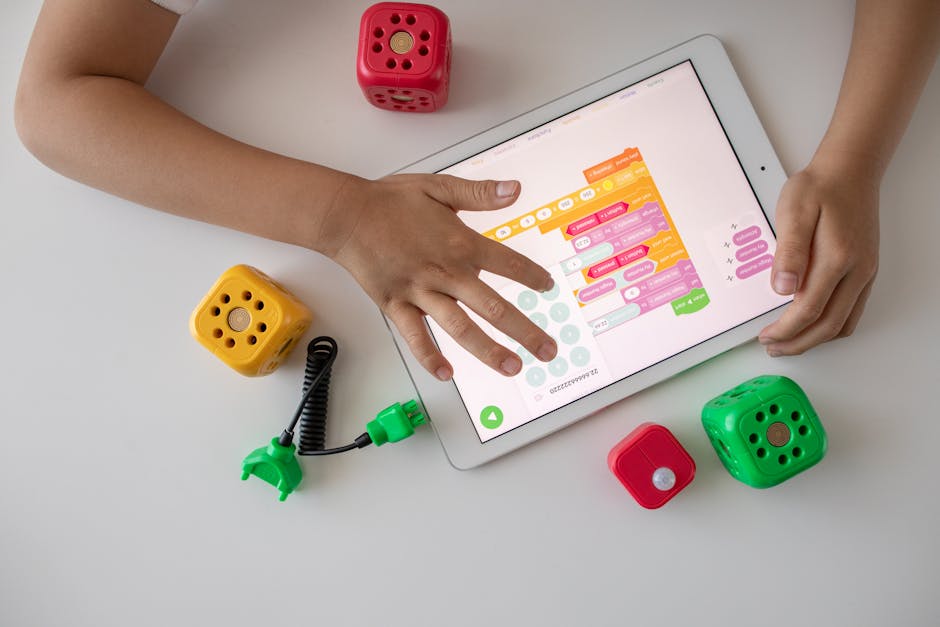
Use the table below to compare common app types and what to watch for before you download or subscribe.
| App category | What kids learn | What makes it fun | Red flags |
|---|---|---|---|
| Skill practice (math, reading) | Fluency, recall, patterns | Short challenges, clear progress | Endless repetition, random guessing |
| Puzzle and logic | Planning, working memory, flexibility | Levels that grow in depth and variety | One-solution tricks, heavy hinting |
| Creative tools (art, music, coding) | Expression, sequencing, cause and effect | Open-ended creation, shareable output | Locked tools, no save or export |
| Exploration and sandbox | Curiosity, systems thinking | Discovery, emergent play | In-app ads, aggressive add-ons |
| Story-driven learning | Comprehension, empathy, vocabulary | Strong characters, choices that matter | Auto-play that rushes past choices |
Reviews can help, but watch for signs that match your child, not just star ratings. Short videos from stores like App Store and Google Play show the real flow. Independent overviews on Common Sense Media can add context on age fit and privacy policies.
Picking apps that teach through play
Look for a tight feedback loop. The child takes an action, sees a result, and understands why it happened. That loop makes practice addictive in a good way. A reading app that highlights letter sounds as you tap reinforces a clear link between input and outcome. A coding app that animates a character based on the child’s simple commands turns logic into visible motion.
Depth matters more than decoration. A flashy interface cannot fix shallow content. You want tasks that grow in complexity and introduce new angles on the same skill. In a math game, that could mean moving from counting to number bonds to simple equations. In a drawing app, that could mean layers, symmetry tools, and color mixing that invite new techniques.
Mix open-ended tools with structured practice. Kids learn facts and also how to explore. A week might include a phonics app, a puzzle game, and a music studio. The variety keeps interest high and spreads gains across skills. Movies and passive videos can be part of media time, but they should not replace interactive learning.
- Check if the app explains mistakes with hints that teach, not just show the answer.
- Scan for ads, loot boxes, or currency systems that pressure kids to spend.
- Prefer profiles and progress tracking you can review together.
- Test the offline mode to reduce distractions and protect privacy.
- Confirm session length options or natural stopping points.
Setting healthy habits and boundaries
Even the best app can cause friction if use is open-ended. Set a simple rule everyone can remember. For example, 20 to 30 minutes of focused play, then a break. Short sessions align with how kids learn. They also make transitions easier. A visible timer on the table works better than sudden stops.
Co-play turns an app into a shared activity. Sit next to your child for the first few sessions. Ask what they plan to try next or why they chose a tool. These prompts build metacognition without turning play into a quiz. With older kids, a quick end-of-session chat works well. “What felt tricky?” “What would you try tomorrow?”
Use device settings to support your rules. On iOS and Android you can limit daily minutes for specific apps, block purchases, and mute notifications during homework. Create a kid profile so future downloads require your approval. These small steps protect focus and reduce arguments.
Match content to energy. Early evenings may be good for calm creative tools. Mornings might fit short skill practice. After a long day, a gentle story app can help unwind. Routines that pair apps with times and places cut down on pushback because expectations are clear.
Tie screen activities to off-screen play. A music app can inspire a kitchen drum set. A coding puzzle can lead to robot blocks on the floor. These bridges help kids see screens as part of a bigger learning arc, not the only place where interesting things happen.
Evaluating and rotating your child’s app library
Plan to review the app mix every few weeks. Kids grow fast, and a tool that fit last month may feel stale now. During the review, ask your child to show you their favorite level, creation, or recent streak. Watch how they explain it. Strong apps make it easy for kids to describe what they learned or built.
Look for signals that an app is worth keeping. You should see steady progress, new strategies, and real pride. If you see autopilot tapping, constant requests for hints, or rush to collect rewards, it may be time to pause or replace. Apps that spark questions are often keepers because they invite deeper thinking.
Measure learning without turning home into school. For a reading app, notice if your child picks up new words in books you read together. For a puzzle game, notice if they plan more steps ahead in board games. For a music or art tool, look for longer focus and more complex projects. These are practical signs that the app’s skills are transferring.
Rotate the library to protect freshness. Keep a core set and swap one or two apps every week or two. Re-introduce past favorites later. Rotation helps you compare what truly engages your child. It also prevents boredom from turning even strong apps into noise.
Stay open to your child’s input. Kids often know when something feels too easy or too hard. Let them propose a replacement within your criteria. Review the choice together using store previews and a short trial. The act of choosing builds judgment, which is a skill on its own.
Balance comes from design and practice working together. Pick apps that reward thinking, then shape a simple routine that keeps play healthy. Review the mix often, keep variety in the rotation, and invite your child into the process. Small, steady tweaks add up to confident, curious use of screens that helps learning stick.
If you try one change this week, sit for a single co-play session and ask three open questions. You will learn what the app teaches, how your child approaches problems, and what to adjust next. That quick check-in sets the tone for better choices and calmer days.