Building Healthy Tech Habits in the Family Home
Phones, laptops, and TVs now sit in the same spaces where we eat, rest, and talk. That mix can help learning and connection, but it can also crowd out sleep, movement, and family time. Healthy tech habits do not come from a single rule. They come from clear values, thoughtful routines, and the way adults and kids use devices together. Strong habits start at home, and they work best when they are simple, consistent, and fair.
Every family has a different rhythm. School schedules, work shifts, and shared spaces all shape what is realistic. The goal is not a perfect plan. The goal is a living plan that protects sleep, supports attention, and leaves space for offline play and conversation. Healthy tech use also changes with age and context, so an approach that grows with your child matters more than any one number.
Research gives useful guardrails. The American Academy of Pediatrics promotes a Family Media Plan with shared rules and device-free zones. The World Health Organization advises no screen time for infants and limited sedentary screen time for toddlers, with more movement across the day. These recommendations are a starting point, not a script. The right plan reflects your home, your values, and your kids’ needs.
1) Set shared values and routines
Start by naming what matters most at home. Common anchors include sleep, homework focus, outdoor time, and family meals. Link tech to those anchors. For example, if sleep is a priority, charge phones outside bedrooms and keep screens off 60 minutes before bed. If free play matters, set daily outdoor time before gaming. Values make limits easier to explain and easier to keep.
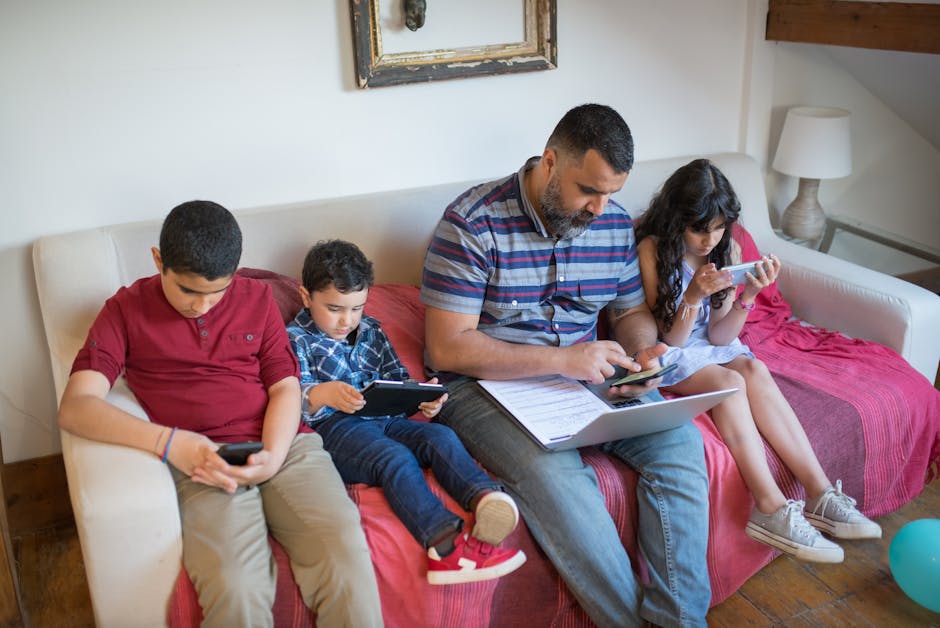
Translate values into a simple plan everyone can see. Post it on the fridge. Keep it brief, specific, and positive. A small table can help you map age-appropriate expectations without being rigid.
| Age range | Focus | Suggested boundaries |
|---|---|---|
| 0–2 | Sleep, movement, language | No solo screen time for infants; short, high-quality co-viewing only when needed; screens off during meals and 1 hour before bed |
| 3–5 | Play, routines, attention | High-quality shows or apps up to about 1 hour on most days; co-view when possible; device-free bedrooms |
| 6–12 | School habits, friendships | Homework before entertainment; time-limited gaming; shared spaces for devices; clear bedtimes and charging station outside bedrooms |
| 13+ | Autonomy, balance, safety | Agreed social media hours; notifications pared back; phones out of bedrooms overnight; periodic check-ins on privacy and well-being |
Keep the tone collaborative. Ask kids what helps them focus or unwind, then test changes together. A weekly check-in works better than a long lecture. I have seen this with families I support: a 10-minute Sunday huddle to adjust timers or app limits reduces arguments during the week.
Expect pushback when habits change. Treat it like any other routine shift, such as a new bedtime. Hold the line for two weeks, then review what is working. Short discomfort now can prevent larger conflicts later.
2) Design the home for balanced tech use
Environment drives behavior. Place chargers in a common area to reduce late-night scrolling. Keep a basket by the dining table for devices. Put a comfortable chair and a few books near natural light to make reading the easy choice. Small physical cues reduce the energy it takes to follow the plan.
Notifications are another lever. Disable nonessential alerts on every device. Turn off autoplay on streaming platforms. Set app limits through built-in tools like Apple Screen Time or Google Family Link. Teens can help choose which alerts remain on, which builds buy-in and self-management.
Write down a few house rules so no one relies on memory during tense moments. Keep them short and action-based.
- Phones and tablets charge outside bedrooms overnight.
- No screens during meals at home or when dining out.
- Homework and chores come before entertainment screens.
- Gaming and social apps shut down 60 minutes before bedtime.
- New apps require a quick family review of privacy settings.
Plan for exceptions. Travel days, sick days, or a favorite sports final can be special cases. Say that out loud so kids learn that flexibility and boundaries can live together. Balanced homes build skills, not just compliance.
3) Teach skills: safety, privacy, and critical thinking
Filters and parental controls help, but skills carry further. Sit with your child and walk through privacy settings on a social app. Show how to make an account private, hide location data, and report or block users. Repeat this when apps update, since defaults often change.
Talk through money traps and manipulative design. Many games and apps use streaks, loot boxes, and variable rewards. Name these patterns in plain language. Ask, “How does this app try to keep you here?” Once kids can spot the tactic, they are less likely to get hooked by it.
Teach media literacy with real examples. Compare headlines from two outlets covering the same story. Look for loaded words, missing context, or anonymous claims. Keep the tone curious, not scolding. Resources from Common Sense Media include discussion prompts and age guides that make this easier. You can explore their family tools at commonsensemedia.org.
Build a help-seeking plan. Decide who your child can text if something online feels off. Make a phrase they can use in public, like “Can you check my math?” which signals they need a quick exit. Post that plan next to the media rules so it is easy to find when stress is high.
4) Model the behavior and course-correct with care
Kids notice what adults do far more than what we say. Put your own phone in the basket during meals. Announce when you switch your device to Do Not Disturb for family time. If work requires after-hours messages, share the plan: “I need 15 minutes to reply to a client, then the phone goes back to the charger.” Clear modeling turns a rule into a norm.
When conflicts happen, separate the problem from the person. Replace “You are addicted to that game” with “The game is pushing bedtime back, so we need to move it earlier.” Stay curious. Ask what makes the game fun and what parts feel stressful, then adjust limits based on that insight. Many kids accept time caps more easily when they can finish a round or save progress first.
Make repairs when you slip. I once caught myself scrolling through headlines during a family movie. I paused, put the phone on the kitchen counter, and said, “I lost the thread there. Back now.” That tiny reset kept the mood light and showed that adults also have to watch their habits.
Review the plan every season. New sports, exams, or jobs change the load on attention and sleep. Keep what works, drop what does not, and document any new rule. Consistency is kind, and updates prevent rules from feeling random.
Healthy tech habits grow from shared values, a clear home setup, and skills that transfer from app to app. Small changes compound when the whole family participates and the rules feel fair. Start with one or two shifts this week, then build from there. The goal is a home where technology supports the life you want, not the other way around.
Research and tools can help you tune the plan. The American Academy of Pediatrics offers a customizable Family Media Plan at aap.org, and Common Sense Media provides app reviews and conversation guides at commonsensemedia.org. Guidance on movement, sleep, and screen limits for young children is available from the World Health Organization at who.int.
References