What To Do If Your Personal Data Gets Leaked
Data leaks feel personal because they are. Your name, contact details, passwords, and even IDs can be copied and traded in minutes. Quick action limits the fallout, and steady follow-up helps prevent repeat damage. The steps below prioritize what to do first, then build toward long-term protection without turning your life into a full-time security project.
Confirm the Leak and Lock Down the Obvious
Start by confirming what was exposed. Check the notice from the company that was breached. Look for exactly which data types were included, such as email, passwords, payment cards, Social Security number, or medical details. If the notice is vague, sign in to your account on the company’s official site, not from any email link, and look for a message in your account center. Tools like Have I Been Pwned can also validate if an email appears in known breaches.
Next, act on accounts that are easiest to exploit. If passwords were exposed or reused across sites, change them now and turn on multi-factor authentication. Code-based methods from an authenticator app beat SMS due to SIM swap risk. Update the recovery email and phone on important accounts to prevent lockout or takeover.
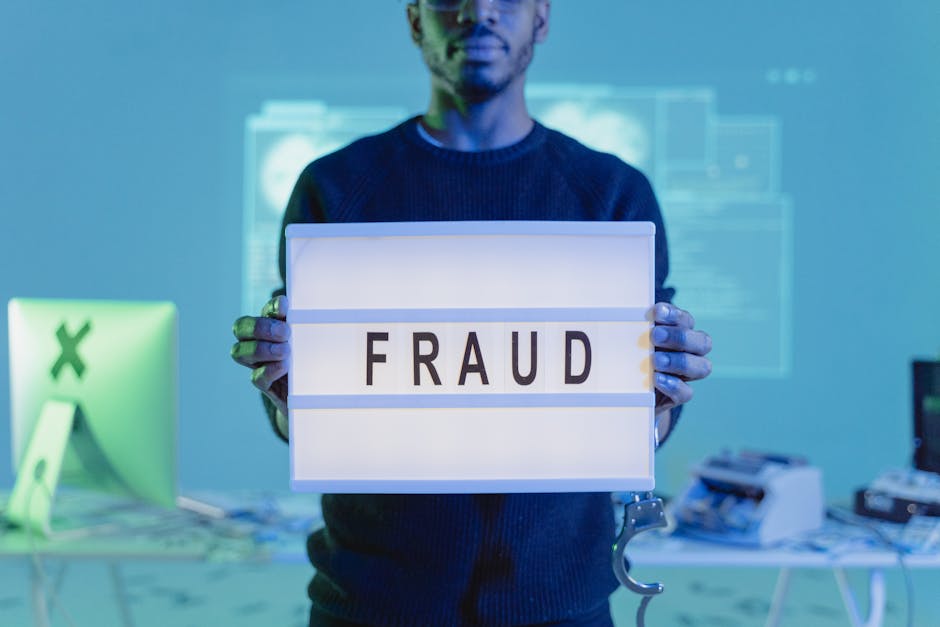
Watch for phishing. After a breach, attackers often send convincing emails that look like support messages or password reset prompts. Go to sites directly rather than clicking links. If a bank or retailer calls you, hang up and dial the number on the back of your card. During a leak response, skepticism is a security feature.
- Identify what data was leaked and where it came from.
- Change passwords on affected and reused accounts, then enable multi-factor authentication.
- Update account recovery options and remove old phone numbers or emails you no longer control.
- Log out active sessions and revoke unknown devices from account settings.
- Ignore links in emails and messages about the breach; visit the site or app directly to verify notices.
Fraud Alerts, Freezes, and Monitoring
If the leak includes financial or identity data, put barriers in place that stop or slow new-account fraud. A fraud alert tells creditors to verify identity before opening an account. A credit freeze blocks new credit pulls altogether until you lift it with a PIN. A freeze is stronger and usually free. You set these at each major credit bureau: Equifax, Experian, and TransUnion.
Monitoring helps you see misuse early. Many banks offer free alerts for card charges, transfers, and login attempts. You can also pull credit reports to spot accounts you did not open. If your government ID or Social Security number was exposed, track unusual mail, debt collector calls, and new account notices. File an identity theft report if you see activity you did not authorize using identitytheft.gov in the United States or your local consumer protection site.
Choose your level of control based on risk. If only an email and name were leaked, you might focus on password resets and phishing defense. If full identity data was exposed, favor freezes plus ongoing account and credit monitoring.
| Data Type Leaked | Why It Matters | Immediate Actions | Risk Level |
|---|---|---|---|
| Email + Password | Account takeover and credential stuffing | Change passwords, enable multi-factor authentication, check logins | High |
| Payment Card | Unauthorized charges | Lock card in app, request new number, set transaction alerts | High |
| SSN or National ID | New-account fraud and tax refund fraud | Place freezes, file fraud alert, monitor credit reports | Very High |
| Address and Phone | Targeted phishing and SIM swap risk | Set SIM PIN, watch for phishing, verify changes with providers | Medium |
| Medical Info | Insurance fraud and privacy exposure | Request explanation of benefits, dispute unknown claims | Medium |
Passwords, Tokens, and Devices: Containment and Recovery
Stolen passwords spread quickly through automated attacks. A password manager solves two problems at once: it makes unique passwords for each site and makes them easy to use. Rotate the most sensitive accounts first, including email, cloud storage, banking, payroll, and tax filing services. If you reused a password, assume every account with that password needs a reset.
Replace weaker factors with stronger ones. Authenticator apps or security keys reduce the chance that a code can be intercepted or SIM swapped. Avoid backup codes stored in email. Keep printed backup codes in a safe place at home for emergencies.
Check your devices. Malware turns a one-time breach into an ongoing problem. Run a reputable antivirus scan on computers and phones. Update operating systems and browsers. Delete browser-saved passwords if you do not use them anymore, and migrate them into a password manager. On services that show active sessions, sign out from unknown locations. I once found a lingering session on a travel laptop months after a conference; logging it out removed a gap I had forgotten about.
Review third-party app access. Many accounts allow connected apps or tokens that keep working even after a password change. Revoke access you do not recognize or no longer need. Generate new app passwords where required. This step closes quiet backdoors that attackers rely on when victims only change the main password.
Money, Identity, and Long-Term Hygiene
Take care of money first. If a card number or bank details were exposed, lock the card in the banking app and request a replacement. Turn on transaction alerts for any charge over a small amount that fits your spending patterns. Dispute unknown charges quickly. Many issuers resolve claims faster when you report within days, not weeks.
Identity leaks need structure. Keep a simple log of dates, calls, and actions. Save copies of letters and screenshots. If you need to escalate, a clear record helps when speaking with banks, credit bureaus, or consumer protection agencies. The FTC and many national regulators publish step-by-step identity theft recovery plans. Use official sites rather than third-party “cleanup” services that charge high fees for tasks you can do yourself.
Harden your phone number. Set a SIM PIN through your carrier account, and add a strong account passcode if your provider supports it. This reduces SIM swap attempts that can bypass text-based codes. Remove your phone number from accounts where it is not required, and prefer app-based authentication.
Clean up public exposure. Reduce how much personal info sits on data broker sites by opting out where possible. Limit what social platforms show to the public, especially contact details, birthdays, and family names that appear in security questions. I replaced all security questions with random answers stored in my password manager, which removed an easy reset path for anyone who knows me well.
Schedule maintenance. Security is easier when it is routine. Set quarterly reminders to review passwords, check active sessions, pull a credit report, and test account recovery options. Small habits prevent big scrambles later.
Strong responses to a leak start with speed, then shift into steady routines that cut risk over time. Focus on accounts that hold money or control access to other services, then move outward.
Treat each leak as a prompt to improve one layer. Add a freeze if identity data was exposed. Replace reused passwords. Tighten phone security. Small upgrades compound, and they make the next incident easier to handle without panic.