Tips for Safe Online Shopping and Payment Security
Online shopping should feel simple. You pick what you need, pay, and get it delivered. Trouble starts when a fake store, a weak password, or a risky payment method opens a door to fraud. Good habits before and during checkout close most of those doors. This guide covers the steps that matter, plus some small details that help when something goes wrong.
Start with the basics. Use sellers you can identify and payment tools you understand. Keep your device updated and your accounts locked with strong authentication. Think of each step of the purchase as a quick risk check. If one step looks off, stop and recheck before paying.
Consumer rights, bank tools, and platform protections do help. Chargebacks, buyer protection, and dispute systems can fix problems, but only if you keep records and act fast. Clear receipts, screenshots, order numbers, and shipping details make all the difference during a dispute.
Check the seller before you add to cart
Trust starts with the store. Real businesses list a physical address, working contact details, privacy notices, and clear return terms. Look for these on the footer and during checkout. Read a few recent reviews on more than one site. If the only reviews are on the seller’s page and sound the same, assume they are not reliable.
Price is a signal. Deep discounts on hard-to-find items usually point to counterfeits or bait-and-switch. Check the same product on at least two other retailers. If one price is far lower, pause. Search the store name with the word “scam” and see what comes up in discussions. A few minutes can save a refund process that stretches for weeks.
Payment options tell you a lot. Stores that only accept bank transfers, wire services, or gift cards are high risk. Safer sellers support credit cards and at least one well-known digital wallet. Look for clear shipping timelines and a return process that you can follow without calling a mystery number.
Check site security. The address bar should show https. Click the padlock and view the certificate if you know how. Do not type card details in a form that loads mixed content warnings. If the site keeps redirecting at checkout or asks for unusual data like a Social Security Number for a common retail order, close the tab.
Secure your accounts and devices
Good security starts with you. Use a strong, unique password for your email and any site you shop on. A password manager saves time and prevents reuse across stores. Turn on two-factor authentication for your main email and payment accounts. Email often becomes
Keep your phone and computer updated. Install updates for the operating system and browser. Turn on automatic updates for antivirus. Use the official app store when you install a shopping or payment app. Watch app permissions and remove any app you do not use.
Public Wi-Fi is a risk for checkout. Save browsing for later or use your mobile data when you pay. If you travel often, consider a reputable VPN to keep your traffic encrypted. Log out of shared or public computers and never store payment details on them.
Review your notification settings. Enable alerts for card transactions in your bank app. Many banks allow instant push alerts, which help you catch small test charges early. Early action improves the chance of a quick reversal.
Choose safer ways to pay
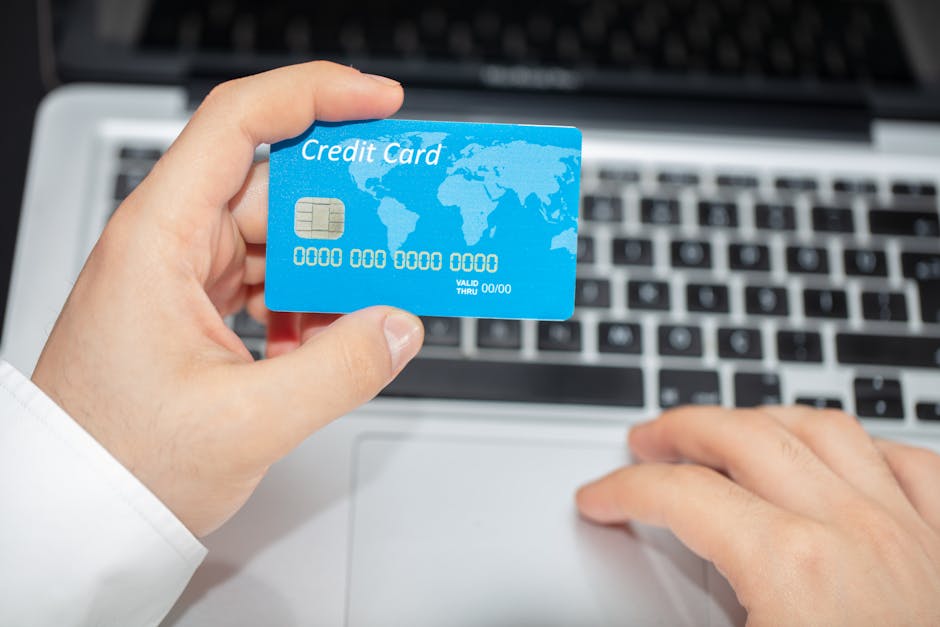
Your payment method influences how easy it is to fix a bad order. Credit cards and well-known digital wallets tend to provide stronger dispute options. Prepaid gift cards, cash, and wire transfers offer little recourse. If a store tries to push you to high-risk methods, step back.
Here is a simple comparison you can reference when picking a payment method for an online order.
| Payment Method | Fraud Protection | Dispute Ease | Best Use |
|---|---|---|---|
| Credit Card | Strong chargeback rights | High | Most online purchases |
| Debit Card | Moderate, varies by bank | Medium | Trusted merchants |
| Digital Wallet (e.g., Apple Pay, Google Pay) | Tokenized, extra security layers | High | Mobile checkout and repeat buys |
| PayPal or Similar | Platform buyer protections | High | Marketplace and independent sellers |
| Bank Transfer/Wire | Low once sent | Low | Only known and verified businesses |
| Gift Cards/Crypto | Very low | Very low | Never for standard retail orders |
Use virtual card numbers if your bank or card provider offers them. These create a one-time or merchant-locked number that reduces the impact of a leak. Many issuers let you set spending limits or expiration dates for extra control.
Be careful with stored payment details. Saving a card on a retailer account is convenient, but it increases the blast radius if your account is compromised. Store cards only with retailers you use often and trust. Remove expired cards and review stored methods every few months.
Confirm the final price before you pay. Check shipping, tax, and any service fees. Some sites pre-check add-ons like shipping insurance. Uncheck them if you do not need them. Keep a screenshot of the final order summary in case the receipt looks different.
Make checkout safer and keep solid records
Check the URL in the address bar before you type payment data. Small typos in domain names are a common trick. Bookmark the retailers you use often to avoid fake links. If you click through from an email, compare the link in the bar to the known site address before proceeding.
Look for card input fields that use a known processor or wallet button. Reputable processors show clear branding and proper field behavior like automatic spacing for card numbers and secure input. If the form behaves oddly or fails when you paste, do not force it. Try a different method or stop.
After payment, download the receipt and save it in a folder with the date and order number. Take a screenshot of the order confirmation page. If the seller uses a marketplace, keep the message thread in the platform. Evidence stored now saves time if you need to open a dispute.
If something goes wrong, act fast. Contact the seller in writing first. If there is no response or the response is not helpful, contact your bank or the payment platform. Most systems have strict timelines. The faster you start, the stronger your case.
Spot scams before they cost you
Most scams share the same patterns. A fake store uses stolen photos, near-zero prices, and disappearing support. A phishing email claims a failed payment or fake prize and pushes you to click a link and type your details. When something triggers that gut check, slow down and verify.
Here are quick checks that catch many scams early:
- Check the domain age and ownership with a public lookup. New domains selling luxury goods are a red flag.
- Type the seller name into a search engine with “refund,” “complaint,” or “reviews.” Look for patterns in independent forums.
- Confirm contact details. Call the number and see if it connects to a real business.
- Do not pay with gift cards, crypto, or wire for retail goods. Scammers push these on purpose.
- Never share one-time codes with anyone who contacts you. No bank or platform needs your code by phone or chat.
Phishing is common around big sales periods. Do not click links in texts or emails that claim account issues, failed deliveries, or expiring rewards. Go to the site or app directly by typing the address or using your bookmark. If you get a call about a problem, hang up and call back using the number on the company’s official site.
Social media ads can be useful, but they are not vetting for trust. Check the domain behind the ad, then do the same checks you would for any seller. If the ad leads to a different domain at checkout, stop.
If you sent money to a scam, contact your bank or platform right away. Ask to block the card or freeze the transaction. Report the incident to your local consumer authority to help others. In the United States, you can file a report with the Federal Trade Commission at ftc.gov. For dispute guidance on credit cards, the Consumer Financial Protection Bureau explains rights at consumerfinance.gov.
Protect your privacy and reduce exposure
Give only what the seller needs to fulfill the order. Standard checkout requires your name, shipping address, email, and payment info. A phone number helps carriers, but you can often use a secondary number or masked number from your phone provider. Do not share your date of birth or other sensitive data for a simple retail order.
Use an email address you check often, but consider a unique alias for shopping. Many email providers let you create aliases that filter messages. This keeps marketing in one place and reduces the impact if a list is leaked.
Download invoices and order histories to your own storage. Relying on a retailer account to hold all your evidence is risky. If the account is locked or the retailer shuts down, your records go with it. Store files by date and seller so you can find them fast.
Review and delete stored addresses and cards you no longer use. Turn off auto-renew for subscriptions you do not need. If a retailer offers data deletion, use it when you stop shopping there. Fewer records reduce your exposure in a breach.
Simple habits make online shopping far safer. Start by picking trustworthy sellers and safer payment methods. Lock down your accounts with unique passwords and two-factor authentication. Check the final price, store your receipt, and track delivery. When anything feels off, stop and verify before you pay.
Fraud prevention is not about fear. It is about making a few smart choices at each step. With the checks in this guide, you cut your risk and make problems easier to fix if they happen. Keep your tools updated, use payment methods that back you up, and save the proof you need to win disputes. If something goes wrong, contact the seller, then your bank or platform, and use official resources like ftc.gov and consumerfinance.gov for next steps and education.