Digital Detox Made Simple: Steps for a Tech-Free Weekend
Constant pings, endless feeds, and late-night scrolling burn time and focus. A short reset helps more than most people expect. A single tech-free weekend can reduce stress, improve sleep, and bring back attention for the week ahead. You do not need a cabin or a complex routine. You need a clear plan, a few firm rules, and a backup for the basics like maps and money.
Why a tech-free weekend works
Notifications push your brain to seek quick hits of novelty. That cycle makes deeper rest and focus harder. Cutting the loop for 48 hours lets your stress response settle. Sleep can improve when you avoid blue light at night, and social pressure eases when you step away from feeds. People often notice small but real gains by Monday: calmer mornings, better focus blocks, and less impulse checking.
Quick setup: lock down the biggest triggers
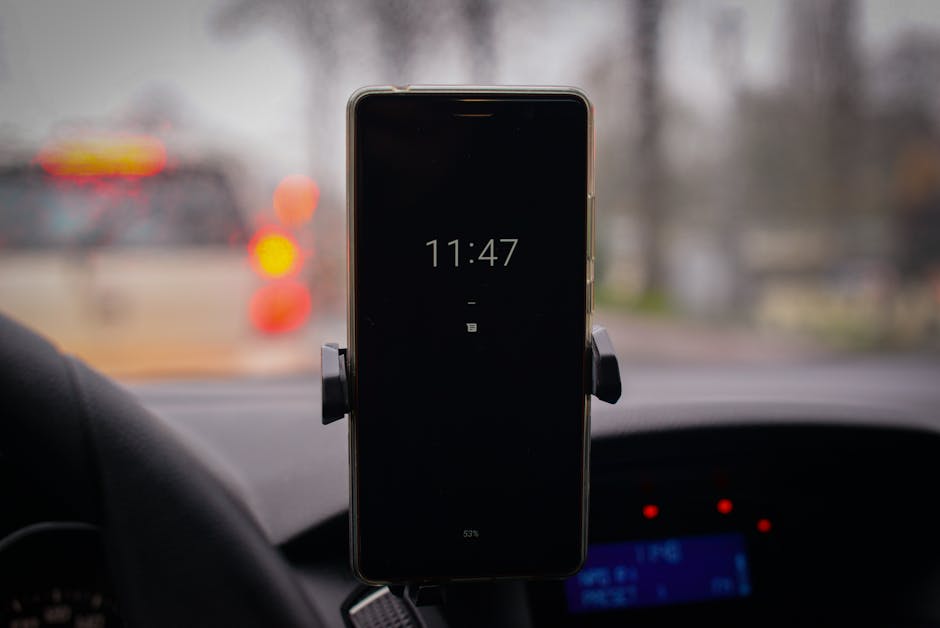
Reduce friction before you start. Turn off the triggers that pull you back to the screen even when you mean to stay away. A few settings make the difference between a peaceful weekend and a slow slide back to scrolling.
| Setting | How to enable | Why it matters |
|---|---|---|
| Do Not Disturb / Focus | Add a weekend schedule that silences all alerts except VIP contacts | Stops the constant pull of pings while keeping true emergencies reachable |
| App Limits | Set a 0-minute limit for social, news, and video apps from Friday 6 p.m. to Monday 6 a.m. | Blocks reflex taps and protects your plan when willpower dips |
| Grayscale | Switch display to black and white | Makes apps less sticky and reduces visual cues that drive checking |
| Lock Screen Widgets Off | Remove news, stocks, and trending panels from the lock screen | Prevents micro-checks from turning into 20-minute sessions |
Define the boundaries you will keep
Write your weekend rule in one line. Example: “From Friday 6 p.m. to Sunday 6 p.m., no social, no news, no video, no email, and no gaming.” Simpler rules are easier to follow. If you must keep a phone for safety, set it to calls and texts from starred contacts only. If work requires on-call status, set a narrow exception window and log it. A clear boundary removes debate at the moment of temptation.
Handle the essentials without screens
Plan for what usually keeps you on the phone. Download or print one map with directions to any weekend plans. Move tickets or bookings to paper or write down confirmation numbers. Pull cash for small purchases. Tell close friends and family you are offline and how to reach you in an emergency. Set an automatic email reply that says you will check messages on Monday.
Build a low-tech menu you actually want
Detox does not mean sitting in silence. Choose simple activities that feel easy to start. Think short nature walks, cooking something new, a library visit, a local game, or a board puzzle. Set one anchor plan each day so the weekend has shape. Pair solo time with at least one social plan that does not need screens, like a potluck, a pickup sport, or a craft hour.
Step-by-step schedule for a tech-free weekend
- Friday, 5 p.m.: Tell one person you trust that you are going offline. It adds gentle accountability.
- Friday, 5:15 p.m.: Turn on Do Not Disturb or Focus. Confirm only VIP calls and texts get through. Remove social and news apps from your home screen or sign out.
- Friday, 6 p.m.: Stash your phone in a different room. Use a simple alarm clock for wake-ups.
- Friday night: Do a reset task that uses your hands. Cook, fold laundry, or prep tomorrow’s day bag. Light movement helps your brain downshift.
- Saturday morning: Start with a 20 to 40 minute outdoor walk. Bring a paper index card with any key addresses or notes.
- Saturday late morning: Do one focused block on a personal project. Set a kitchen timer for 60 minutes. Examples: fix a bike, sketch, plan a garden, or declutter one drawer.
- Saturday afternoon: Meet a friend for an offline activity. Leave phones on silent in bags or at home if safe.
- Saturday evening: Read a book or magazine. If you do not enjoy long reads, try a short story or a how-to chapter.
- Sunday morning: Tackle a light chore sprint for 45 minutes, then reward yourself with a hobby. Keep it tactile, like baking, hand lettering, or music practice.
- Sunday afternoon: Do a longer nature block. Parks, trails, or a slow city stroll work fine. No headphones unless you use a basic MP3 player.
- Sunday, 5 p.m.: Write three notes about what felt easy, what was hard, and one change for next time.
- Sunday, 6 p.m.: Bring the phone back, but keep Focus on for social and news until Monday morning.
What to do when boredom hits
Boredom shows up when the brain loses its normal stream of quick rewards. Have a ready set of micro-options that take less than five minutes. Do ten push-ups or a short stretch series. Step outside for fresh air. Make tea and watch the kettle. Write one postcard or a single page in a notebook. These small resets pass the urge window and protect your weekend plan.
Dealing with work, kids, and roommates
If you have on-call work, limit the exception to a narrow block and keep the phone in another room outside that time. If you have kids, make it a family game. Create a phone basket and a shared reward, like pancakes on Sunday. If you live with others who stream or game, use headphones and pick a different room so you are not staring over their shoulder.
Stay safe while offline
Keep your phone powered on with Focus enabled if going out alone or traveling. Share your plan in advance with one contact. Carry a small card with an emergency number and your address. If you need maps, download them before the detox so you can use them in airplane mode if needed. Safety beats purity.
Use light and sleep to your advantage
Morning light helps set your sleep clock, and bright screens at night can make it harder to fall asleep. Spend some time outside within an hour of waking, and keep screens out of the bedroom both nights. Use an alarm clock and charge devices in the kitchen. Low light, a book, and a steady pre-sleep routine will help you feel the reset by Monday.
Measure success on Monday
Track what changed rather than chasing a perfect streak. Ask three questions. Did I feel calmer or more present at any point. Did I sleep better or wake up easier. Did I reduce screen time for the weekend by at least 50 percent. If yes on one or more, you are on the right path. Keep the parts that worked and adjust the rest.
Make it repeatable
Turn it into a light habit. Two options work well. Choose one weekend per month for a full detox, or keep every Sunday low-tech. Save your settings so it takes 60 seconds to start. Build a small offline kit you can grab fast: paper map, notebook, pen, playing cards, library card, and cash.
When you must use technology
Some tools help without pulling you back into feeds. Music players without apps, e-readers without browsers, and basic cameras are fine for many people. If you need a ride-share or ticket, do the action and then put the phone away again. Intent beats zero use. The goal is to break the loop, not to prove a point.
Troubleshooting common snags
If you keep checking, increase friction. Sign out of the worst apps and move them off the first two screens. If you feel cut off, schedule one short check-in call with a friend. If you feel flat or restless, add movement and daylight. If you overcomplicate the plan, cut it in half. Simpler rules win.
A tech-free weekend feels like a relief once you get past the first few hours. You will notice more small details, finish a stray task that hung around for weeks, and hold a longer thread of thought. The reset will not fix everything, but it will show you what a calmer rhythm feels like. Keep the best parts for weekdays by leaving Focus on during meals, at bedtime, and for your first hour after waking.
Start with this weekend, tell one person, and set your device once. The payoff is less noise, better sleep, and a steadier mind. That is a fair trade for two days off the feed.
References
Sleep and blue light guidance: sleepfoundation.org
Smartphone habits and constant connection research: pewresearch.org
iOS and Android Focus/Do Not Disturb how-to: support.apple.com and support.google.com