Managing Screen Time for Remote Learning Success
Remote learning puts almost every task on a screen. Classes, homework, group projects, even quick questions for teachers all happen in the same place. That can blur boundaries and drain focus. You do not have to accept constant eye strain or endless scrolling to succeed. With a few practical moves, you can protect your time, reduce fatigue, and get more from each study session.
Why screen time feels draining during remote learning
Not all screen time works the same way. Watching a live lecture is different from reading a PDF, and both feel different from coding or drawing. The brain handles each task in its own way. Video calls demand social attention. Reading dense text pushes visual tracking. Rapid switching between tabs taxes working memory. When these pile up without breaks or structure, focus slips and stress grows.
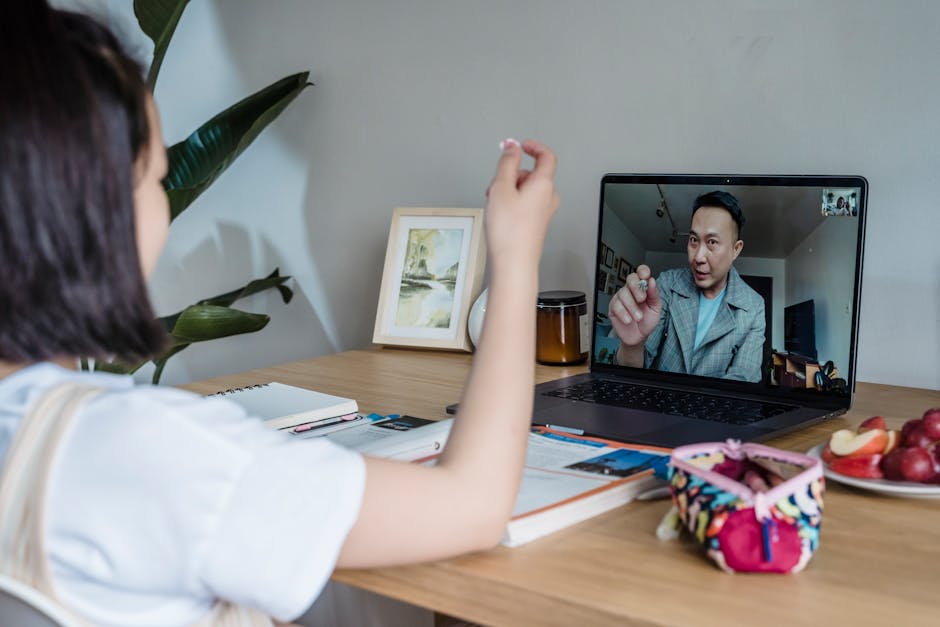
Physical setup also matters. Small text, poor lighting, and glare make eyes work harder. Notifications pull you away from the main task. The more you juggle, the more minutes you lose to ramping your brain back up. The goal is not to cut screens to zero. The goal is to shape screen time so it supports learning instead of fighting it.
| Screen task | Typical duration | Strain risk | What to adjust |
|---|---|---|---|
| Live lecture or webinar | 30–90 min | High for eye and mental fatigue | Enable speaker view, take handwritten notes, stand up for 1–2 min every 20–30 min |
| Self-paced reading (PDFs, slides) | 20–40 min | Medium due to small text and glare | Increase text size to 120–140 percent, use reader mode, apply the 20–20–20 eye rule |
| Group project calls | 20–60 min | Medium from multitasking and notifications | Set an agenda, turn off nonessential alerts, assign one person to share screen |
| Quizzes and exams | 15–60 min | Medium from stress and fixed posture | Prepare water and scratch paper, adjust chair height, quick shoulder roll at midpoint |
| Creative work (coding, design) | 45–90 min | Medium for posture and focus drain | Full-screen the tool, use dark or high-contrast themes, break tasks into subgoals |
Set guardrails that protect attention
Start by mapping the week. Write down classes, deadlines, and study blocks. Note the longest stretches on video, since those drain you fastest. If possible, avoid stacking two long calls back to back. Place a short movement break between them. A simple loop around the room resets blood flow and focus.
Use time boxing. Give each task a start and end time instead of working until it “feels done.” Many students like 30 minutes on task, 5 minutes off. Others prefer 45 and 10. Pick a pattern you can repeat across the week. Keep a timer off to the side, not in the middle of your screen.
Switch the input, not just the app. When the class is dense, take notes by hand. The simple act of writing slows you a bit, which can improve recall. If the reading is heavy, print
Batch short tasks. Answering quick messages and checking the learning portal every few minutes chops your focus. Set two windows per day for messages. Ask teachers or teammates to expect responses in those windows. You stay responsive without living in your inbox.
Make screens friendlier to your eyes and brain
Text should never feel tiny. Increase font size until you can read without leaning in. Many people land near 120 to 140 percent. Adjust line spacing in PDFs when you can. On a laptop, raise the top of the screen to eye level using a stack of books or a stand. Your neck and shoulders will thank you.
Reduce glare. Place the screen perpendicular to windows and use a matte screen filter if reflections persist. In bright rooms, high contrast or light themes help. In dim rooms, dark themes can reduce strain. Blue light filters can feel more comfortable at night, though they do not replace good sleep habits.
Build micro breaks into your day. Follow the 20–20–20 rule: every 20 minutes, look at something 20 feet away for 20 seconds. Blink on purpose while reading. Stand up or stretch your arms over your head between tasks. These small patterns keep discomfort from building until it forces a long break at the worst time.
Trim visual noise. Full-screen the current task. Close tabs you do not need right now. Turn off preview banners for chat apps. Each little distraction steals a sliver of energy. Protect your attention like you would protect your time.
Balance online learning with offline actions
One reason remote learning gets sticky is that everything happens on the same screen. Break that pattern by moving parts of the work offline. It helps memory and gives your eyes a rest.
- Turn readings into quick outlines on paper, then return to the screen to confirm details.
- Sketch diagrams, mind maps, or timelines by hand before you build slides.
- Use flashcards for formulas and terms, then do practice problems online.
- Record voice notes to explain a concept in your own words, then compare with the lesson.
- Walk while listening to recorded lectures, pausing to jot key points.
Keep it sustainable with tools, habits, and honest tracking
Track your screen time for one week. Do not aim for a perfect number yet. Just learn where the hours go. Many devices have built-in tools that show time in each app. Apple Screen Time on Apple devices, Digital Wellbeing on Google Android phones, and Family Safety on Microsoft systems can help. Use those snapshots to spot patterns. If you notice most study time lands late at night, shift one block earlier while you have more energy.
Create a “start” and “finish” ritual for schoolwork. At the start, clear the desk, open only the tabs you need, set your timer, and leave water within reach. At the finish, write the next step for each class on a sticky note and close every study tab. These bookends tell your brain when to focus and when to switch off.
Build breaks that count. A two-minute stretch after a lecture beats a ten-minute scroll through social feeds. Quick routines work best when they are easy: a set of squats, a glass of water, a short walk to a window. If you study with a friend online, agree to take the same breaks and check back in at set times. Accountability raises the odds you will stick with your plan.
Set a device bedtime. Pick a daily cutoff for heavy screen tasks. Treat that time like a meeting with yourself. After the cutoff, do light review on paper or plan the next day. Sleep locks in learning. If your courses require late work, carve out one morning block to balance it. Consistency matters more than perfection.
If you share space with family or roommates, post your class and study windows where people can see them. A simple note on the door can prevent mid-lecture interruptions. Headphones with a physical mute button also help you manage surprise noise fast.
Remote learning does not have to feel like an endless scroll. When you match the task to the right block of time, give your eyes regular rests, and keep a clean setup, you get more done with less strain. Treat your schedule like a living plan. Review what worked each week, adjust one or two things, and keep going.
Progress shows up in small wins. You end a lecture without a headache. You finish a reading in one focused pass. You close the day with a clear next step. Keep stacking those wins, and screen time turns from a drain into a tool that serves your learning instead of controlling it.