Signs Your Child Might Be Overusing Screens and What to Do
Most families wrestle with screens. Phones, tablets, laptops, game consoles, and TVs are part of school, play, and social time. The challenge is spotting when use crosses into overuse. You are looking for patterns that disrupt sleep, learning, mood, attention, and relationships. Once you see those patterns, small, steady changes can reset habits without turning your home into a battleground.
What overuse looks like in daily life
Screen time becomes a problem when it starts pushing out basics your child needs. Think of a balanced day like a plate: sleep, school, movement, meals, chores, reading, free play, and social time. If screens take so much space that other pieces fall off the plate, it is time to act.
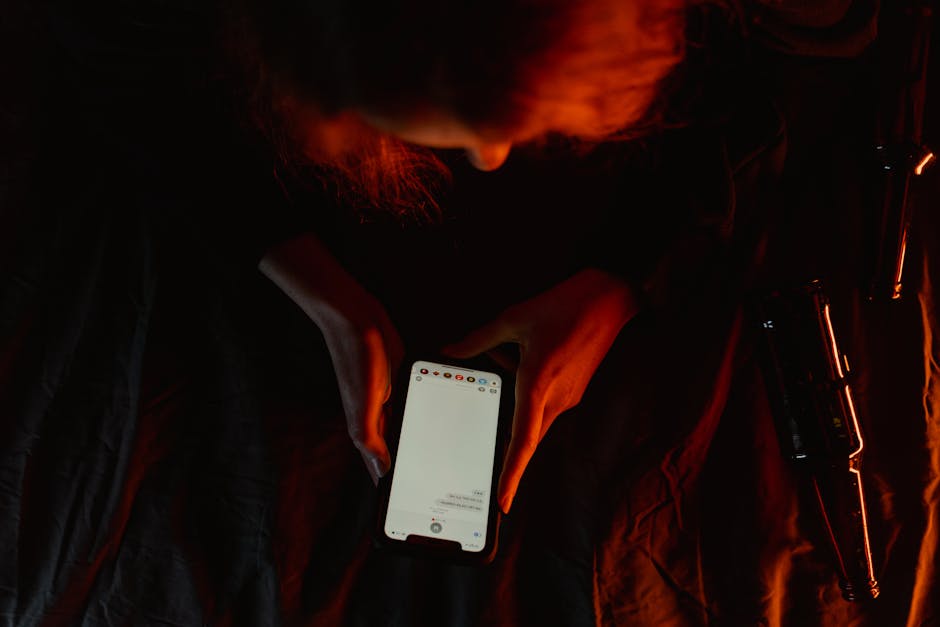
Here are common signs and what they can point to. Use this as a guide while watching your own child’s rhythms and needs.
| Sign you notice | What it can mean |
|---|---|
| Meltdowns when asked to stop | Low tolerance for frustration and trouble shifting attention |
| Bedtime gets later due to “one more video” | Sleep timing and quality disrupted |
| Grades slipping or missed assignments | Attention pulled away from tasks and weaker study habits |
| Less interest in hobbies once enjoyed | Screens crowd out rewarding offline activities |
| Frequent headaches or eye strain complaints | Long sessions without breaks and poor ergonomics |
| Skips meals or eats only while watching | Mindless eating and reduced family connection |
| Social conflict tied to games, chats, or posts | Online stress spilling into mood and relationships |
| Reduced physical activity | Less movement leading to lower energy and fitness |
| Hides devices or lies about usage | Rules feel unclear or too strict, leading to secrecy |
| Constant multitasking during homework | Fragmented focus making work take longer and feel harder |
Context matters. A teen doing a group project online at 9 p.m. is not the same as a midnight gaming marathon. A child FaceTiming a grandparent is not the same as hours of auto-play videos. Look at total time, timing during the day, and emotional tone before and after use.
Age also shapes what “too much” looks like. A young child who throws the tablet when asked to stop may need shorter sessions and clearer transitions. A tween who stops going to sports practice to game may need social support to rejoin. A teen who scrolls past midnight may need help with boundaries like device-free bedrooms and wind-down routines.
Why boundaries help more than bans
Blanket bans often backfire. They can make screens feel off-limits and more tempting. Strong families use boundaries that protect sleep, school, and relationships while still letting kids learn, connect, and relax online. Think of it like teaching a new driver. You do not take away the car forever. You teach skills, set limits, and ride along until they can handle more freedom.
Boundaries work best when they are clear, consistent, and predictable. Kids respond to routines that do not change every day. If Tuesday means homework, then gaming, then family dinner, it becomes the rhythm. Friction drops because expectations are set in advance.
A simple plan you can start this week
You do not need a perfect system to make progress. A few steady steps can cut stress and improve sleep and focus within days. Here is a short plan to try. Adjust the details to fit your home, school load, and child’s age.
- Set device-free anchors. Pick two or three daily moments that are always screen-free, like family meals, the first hour after wake-up, and the last hour before bed.
- Move screens out of bedrooms. Charge phones and tablets in the kitchen or living room overnight. Use an old-fashioned alarm clock if needed.
- Create a clear after-school flow. Example: snack and chat, homework, 30 to 60 minutes of screens, then dinner, then offline wind-down.
- Use timers your child controls. Let them start the timer for a 30-minute session and pick a natural stopping point, like after a game match or show episode.
- Replace, do not just remove. Pair limit cuts with an easy alternative ready to go: a puzzle on the table, basketball in the driveway, or a short walk with music.
- Watch the emotional tone. If a show or game leaves your child amped or upset, switch to calmer content earlier in the evening.
- Make consequences about timing, not shame. If rules are ignored, shorten the next day’s screen block. Avoid lectures. Keep it brief and consistent.
Parents often ask, “How many hours is okay?” The real answer depends on quality, timing, and balance. Two hours of creative building or coding with breaks can be fine. Two hours of doom-scrolling at midnight is not. Use three tests: Is sleep protected. Is schoolwork done with full attention. Is your child still active, social, and engaged in offline life. If any of these fail, scale back.
Consider ergonomics too. A chair and desk that fit your child, a screen at eye level, and regular stretch breaks reduce headaches and neck pain. The 20-20-20 rule helps: every 20 minutes, look 20 feet away for 20 seconds. Younger kids might do this as a playful “window check” together.
Handling pushback without daily fights
Expect some resistance when routines change. Your child is not only losing time on a device. They are losing a habit loop that delivers quick hits of fun or social feedback. Your job is to stay calm, predictable, and kind while holding the line.
Use short scripts. “We agreed on 30 minutes. Timer says time is up. Do you want to pause now or finish this match and stop in five.” This gives a sense of control within your boundary. Follow through every time for two weeks. Consistency beats long speeches.
Pre-commit to your own limits. If you plan to end gaming at 7 p.m., do not extend to 7:30 because the level is almost done. When you hold steady, the new rule becomes the new normal faster. If you want to build trust, keep a shared calendar that shows screen blocks and offline plans. Kids handle limits better when they can see what is coming.
Model what you ask for. Put your own phone away during meals. Do not bring laptops to bed. If you need to answer a work message, say so, do it quickly, and return to the family moment. Kids watch what you do more than what you say.
When to look closer and seek help
Most screen problems are habit problems and respond to routine changes. Sometimes the pattern is deeper. Consider talking with your child’s doctor, teacher, or a counselor if you notice ongoing sleep loss, panic or sadness tied to online activity, isolation from friends, self-harm talk, or total refusal to attend school or activities. Screens can be a coping tool that hides stress, anxiety, learning differences, or friendship issues. Getting help for the root problem makes screen changes easier and more lasting.
Privacy and safety deserve regular check-ins. Spot-check messages and game chats with your child sitting next to you. Keep family rules simple: no sharing personal info, tell an adult if something feels off, and block and report harassment. This is not about spying. It is about teaching safe habits the same way you would teach street safety.
Screen use does not have to be a constant fight. When you treat it like any other part of family life, you can shape it with routines, not arguments. Watch how screens affect sleep, school, mood, and relationships. Set a few firm anchors, keep your follow-through steady, and swap screen time with easy offline options. Progress shows up in small ways at first. Bedtime goes smoother. Homework takes less time. Your child laughs more at dinner. Those are the right signals. Keep going.
If you hit a rough patch, adjust one variable at a time. Shorten evening use by 15 minutes. Move chargers out of bedrooms. Add a short walk after school. Test, observe, and refine. You are building skills your child will use for years: knowing when to pause, how to balance fun with responsibility, and how to care for their body and mind. That is the real goal, and it is within reach.